




ECP Updates
Meet the New ECP Home Screen
ECP gets a new, modern look, and a home screen built around how your team actually works. The moment they log in, they’ll see what needs their attention and get to it in one click.
Live Wednesday, October 28.
New look, same ECP
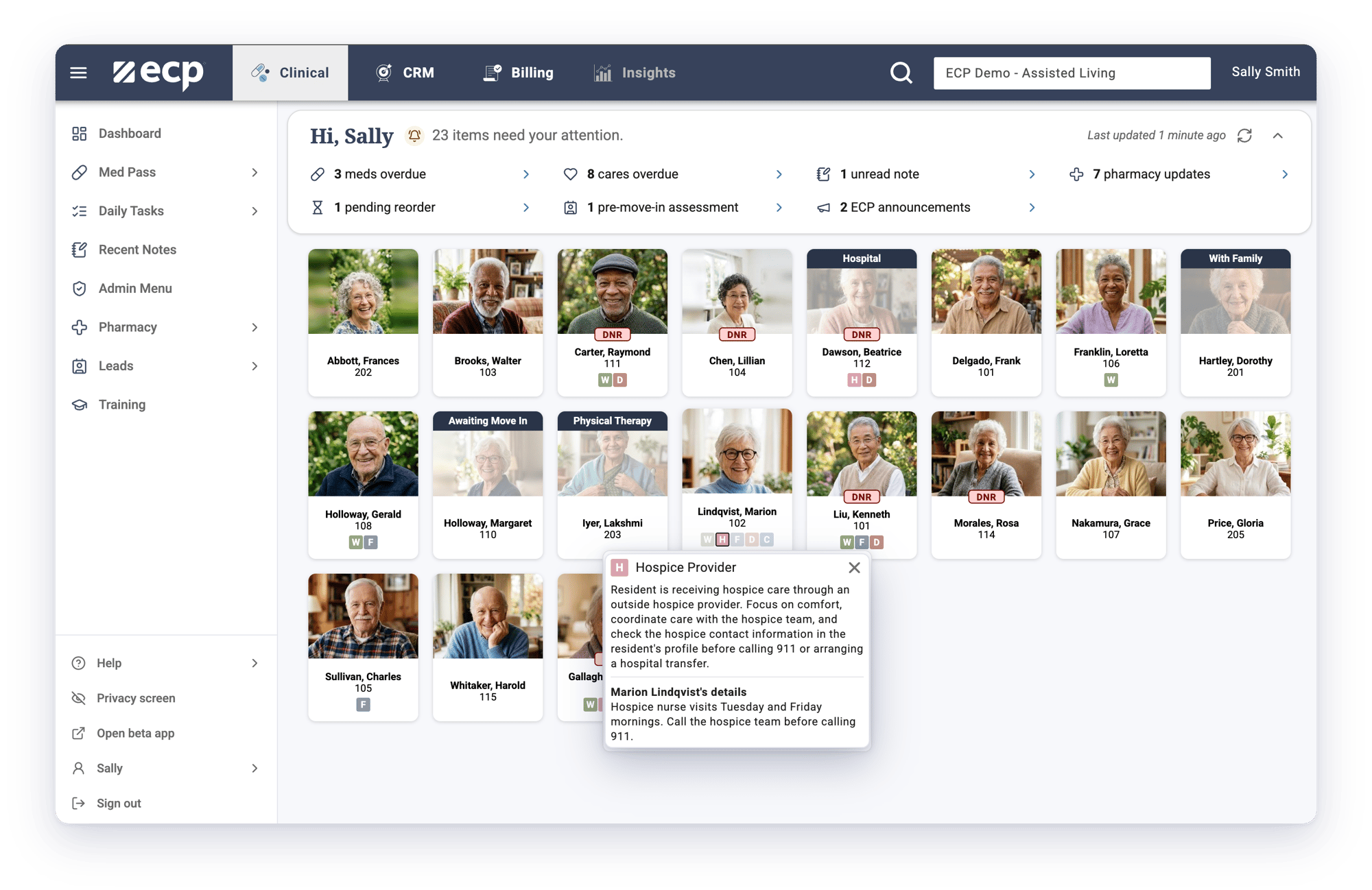
A whole new look. The same ECP your team knows.
-
A new, modern look and feel
-
Actionable, role-based alerts on the home screen
-
One click to the action you need to take
-
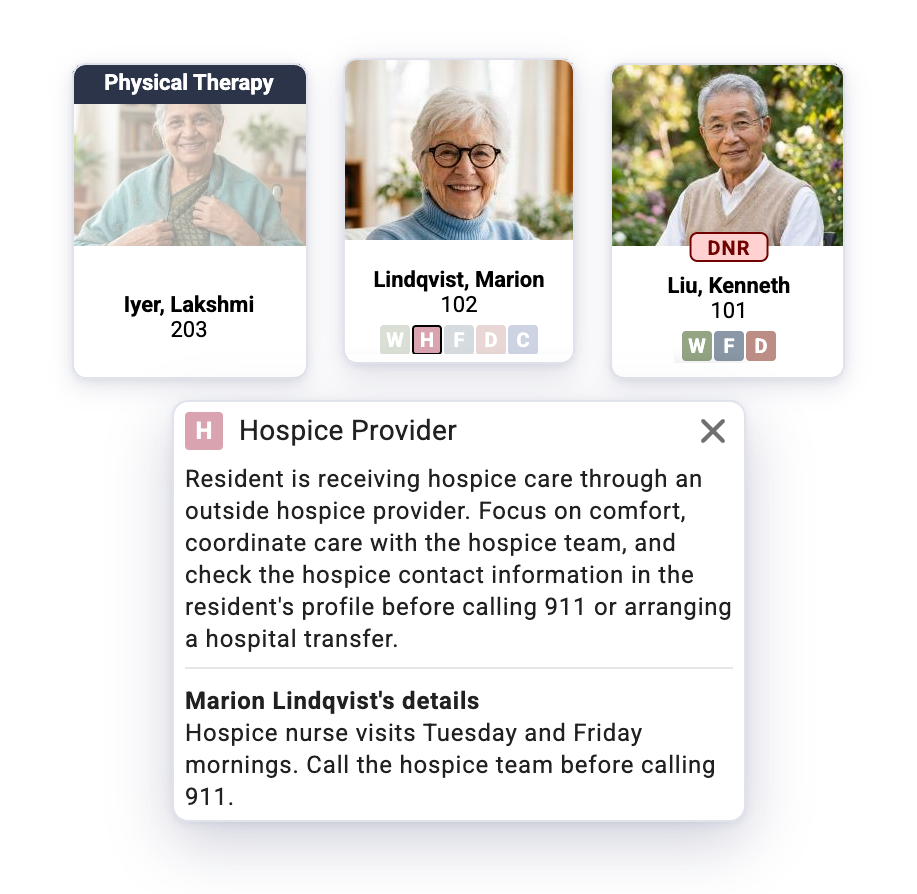
An updated DNR tag that's easy to spot at a glance
-
Clickable key indicators with community and resident details
What's new
Built around how your team works.
Role-based alerts
The right alerts, for the right role.
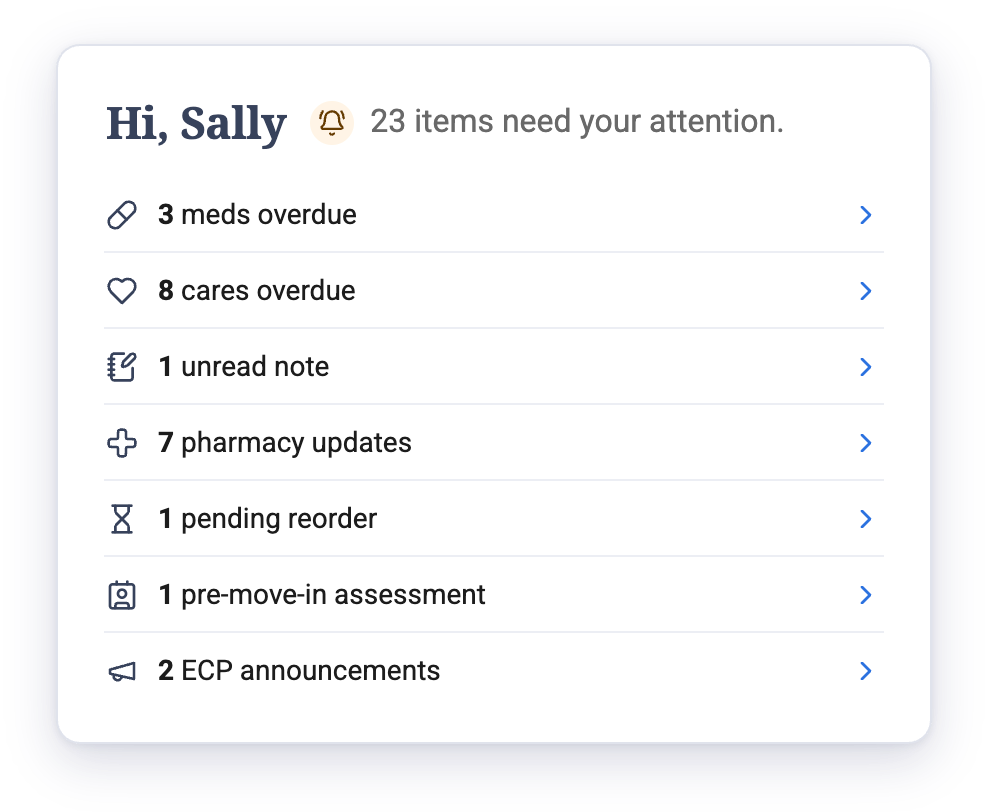
Every login opens with actionable alerts based on each person's role. One click takes them straight to the action they need to take.
Key indicators
Know every resident at a glance.
Key indicators and an updated DNR tag show what matters most about each resident. Click an indicator to see what it means, what to do, and resident details.
What it means for your team.
Less time hunting, more time caring.
Fewer things slip through.
Confidence on every shift.

Training and support
Help for your team.
-
100% US-based support, ready for questions from the floor
-
Request training anytime, for one community or your whole portfolio
Common questions
Frequently asked questions
When does the new ECP home screen go live?
The new ECP home screen goes live Wednesday, October 28, 2026.
Will my team's workflows change?
No. Med pass, charting, and the tools your team uses every day in ECP work the same way. The new home screen changes how quickly your team sees what needs attention.
What shows up on the new home screen?
ECP's new home screen shows actionable, role-based alerts for overdue medications and care, unread notes, pharmacy updates, pending reorders, pre-move-in assessments, and announcements from ECP. One click takes staff straight to the action they need to take.
What are key indicators?
Key indicators are the small badges on each resident's card in ECP. Click one to see what it means, what your team should do, and details specific to your community and that resident. An updated DNR tag also makes DNR residents easy to spot.
Do we need to do anything to get the new home screen?
No. Your team will see the new ECP home screen the next time they log in on or after October 28.
How can my team get trained on the new layout?
ECP's US-based team offers walkthroughs for new and returning staff. Request training, or contact Support with questions.